
Disclosure: This article may contain affiliate links. We earn a commission at no extra cost to you if you purchase through our links. We only recommend tools we genuinely believe in.
A client once told me, politely, that my weekly report was very thorough. Then he asked a question the report had already answered, on page two, in a table, with a chart. That was the moment I stopped measuring reports by how complete they were and started measuring them by whether the client could act on them in five minutes.
This post is the next step after How I Onboard a New Client With AI, Without Losing the Personal Touch. Onboarding sets up the first win and the weekly rhythm. The report is what proves, week after week, that the work is moving, and it is where trust is either renewed or quietly spent. It also builds on How I Automate Lead Follow-Up So No Good Lead Goes Cold: the same discipline, one clear next step and no message sent twice, applied after the sale instead of before it.
This is a playbook, not a results report. The timings below are a starting template to tune after your first few reports, not measured outcomes. Your numbers will differ because your clients, your services, and your reporting tools differ.
The Problem: Thorough Reports Nobody Reads
Most weekly reports fail in the same way. They are written for the person who did the work, not for the person who has to decide something after reading them. So they collect everything: every metric, every task, every screenshot, in the order the work happened. The client opens it, sees a wall, saves it for later, and later never comes.
Three problems hide inside that wall:
- No decision is visible. The client finishes the report and still does not know what changed, what needs their approval, or what happens next.
- Numbers arrive without meaning. A metric goes up or down, but nobody says why it matters, or whether it is good, bad, or just noise for one week.
- The report is a dump, not a summary. Activity is not progress. Listing 14 tasks completed does not tell a client whether the one thing they care about moved.
AI makes this worse if you let it. Left alone, it will happily turn your notes into a longer, smoother version of the same dump. Used properly, it does the opposite: it drafts the structure, shortens the noise, and leaves the judgment to you.
The System in One Pass
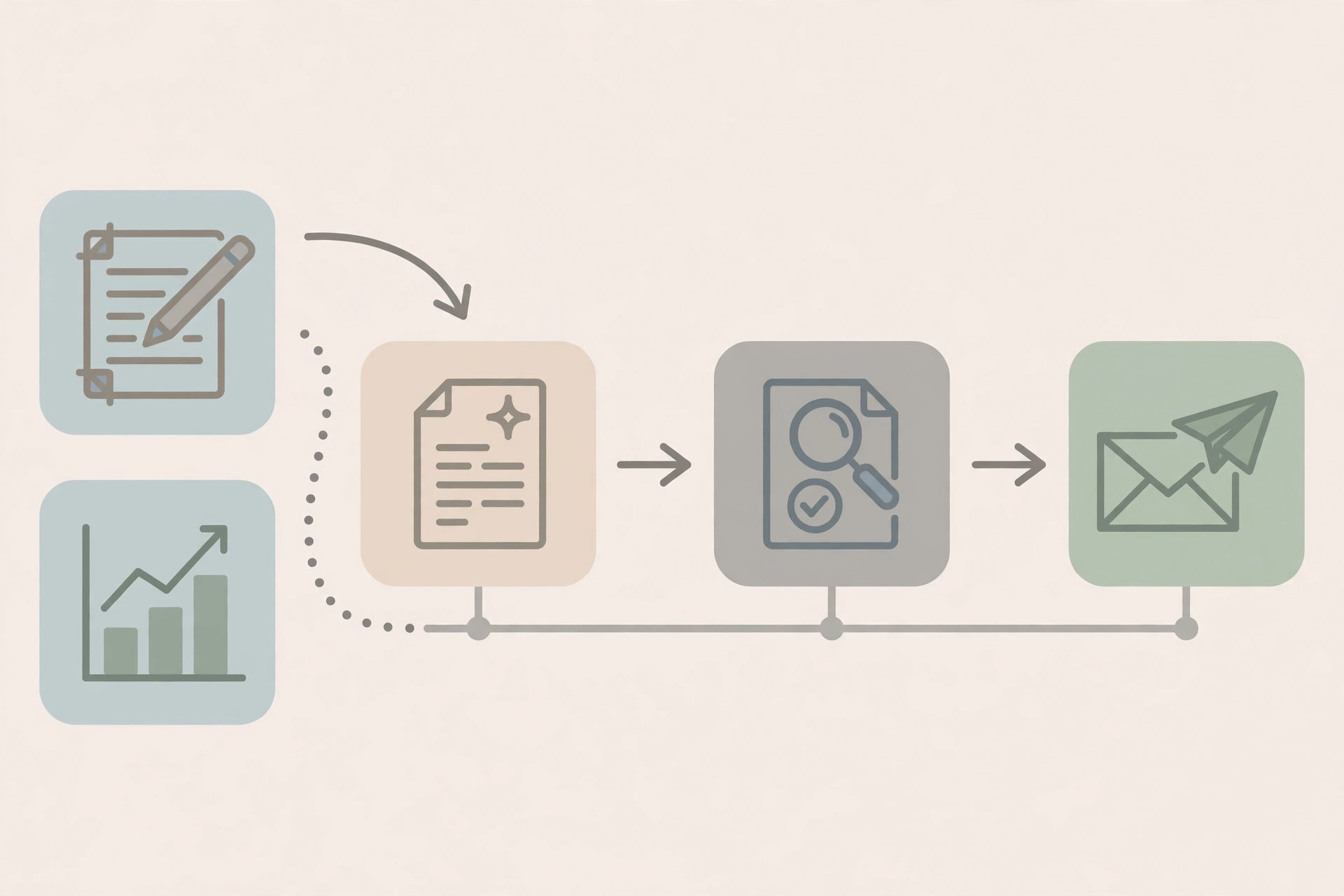
The stack is deliberately boring, and it reuses the tools from the onboarding and follow-up posts. No new platform is required to start.
| Stage | Tool | What happens |
|---|---|---|
| Collect | Your delivery notes, plus your CRM or project tool | Tasks, numbers, and blockers land in one place during the week, not on Friday afternoon |
| Draft | Claude or ChatGPT, with a fixed template | A first draft in the five-section format below, from your notes only |
| Check | You, with the source numbers open | Every number verified, every claim checked, every vague sentence rewritten or cut |
| Send | Email, at the same time each week | One report, one subject line pattern, one place the client learns to look |
| File | Notion, Google Docs, or your CRM | The sent report saved with the week number, so trends and past promises are easy to find |
Notice what automation does not do in this table: it does not decide what a number means, it does not approve a recommendation, and it does not send the report on its own. It drafts. You judge. That split is the whole system.
The Five Sections, in This Order
Every report uses the same five sections, in the same order, every week. Consistency is a feature here. A client who knows where to look reads faster, and a client who reads faster asks better questions.
- What changed this week. Two or three sentences, maximum. Not what you did, what changed for the client. If nothing important changed, say so plainly. A quiet week reported honestly builds more trust than a quiet week dressed up as a busy one.
- What we did. A short bullet list of the work that produced the change, or the work that sets up next week's change. Link to the deliverable where one exists. No task list for its own sake.
- What it means. Your judgment, in plain language. One number up is not a story. One number up, with the reason you believe it moved and whether you expect it to hold, is a story.
- What is next. One deliverable, one date, and what success looks like for it. Not a roadmap, not a backlog. Next week, in one line.
- What we need from you. Approvals, access, assets, or a decision, each with a date. If nothing is needed, say "Nothing needed this week." A client should never have to guess whether they are the blocker.
The order matters. Change first, because that is what the client cares about. The ask last, because by then they understand why you are asking.
The Drafting Workflow, Step by Step
Here is the workflow I use, with the human checkpoints marked clearly. Budget about 30 minutes per report, as a planning figure, not a measured average, once the template is set: about 10 minutes to collect and draft, about 15 minutes to check and rewrite, and about 5 minutes to send and file.
- Step 1: Collect during the week, not at the end of it. Keep one running note per client: decisions made, work shipped, numbers worth reporting, blockers hit. A Friday scramble produces a report made of memory, and memory invents details.
- Step 2: Draft from your notes only, never from general knowledge. The prompt is simple: turn these notes into the five-section template, in plain language, with no new claims, no invented numbers, and a flag wherever a number is missing or unclear. If the model cannot find a number in your notes, it must say so, not fill the gap.
- Step 3: Check every number against its source. Open the ad account, the analytics dashboard, or the project tool, and match each figure in the draft. This is the step that protects you. One wrong number in a report costs more trust than a late report ever will.
- Step 4: Rewrite the judgment in your own words. The draft's "what it means" section is a starting point, not your opinion. Read it, and ask: would I say this to the client on a call? If not, rewrite it until you would.
- Step 5: Cut one thing before you send. A report gets better when you remove a section, a metric, or a sentence that adds length without adding a decision. If a client has never asked about a metric in three reports, stop including it, and note that it is available on request.
- Step 6: Send at the same time, every week. Same day, same rough hour, same subject pattern, for example "Weekly report, week of November 3." Predictability is what turns a report into a habit for the client, instead of another email to triage.
What to Leave Out, and What to Keep
The hardest part of reporting is not writing. It is choosing. This comparison is the filter I run before sending:
| Leave out | Keep instead |
|---|---|
| Every metric your tool can export | The two or three metrics tied to the client's stated goal |
| A list of all tasks completed | The work that changed something, or sets up next week's change |
| Screenshots with no explanation | One number, with one sentence on why it moved |
| Vague wins like "great progress" | One concrete change, with its date and its next step |
| A backlog of future ideas | One next deliverable, with one date |
| Blame for a slow week, or excuses for it | What happened, what you are changing, and when the client will see the effect |
If a client asks for a metric you left out, add it back, and note that they asked. The template serves the client, not the other way around. But do not add it back by default for every other client. One client's request is not every client's template.
What Breaks, and the Guardrail for Each
| Failure | Warning sign | Guardrail |
|---|---|---|
| Report becomes a data dump | Client stops replying, or asks questions the report answered | Cut to the five sections, and cut one metric per week until replies return |
| AI invents or smooths a number | A figure looks tidy but does not match your notes | Draft from notes only, and check every number against its source before sending |
| Report goes out late, then later | The send day slips week after week | Shrink the report, do not move it. A short report on time beats a long report late |
| Report hides a bad week | Language gets vaguer when results get worse | Say what happened, what you are changing, and when the effect should show |
| Client never reads it | No reply for three weeks, no questions ever | Ask on the next call: what would make this useful, and rebuild around the answer |
| Report replaces the conversation | The client only hears from you in writing | The report supports the weekly update, it does not replace a call when a decision is needed |
Rule: draft with AI, judge as a human, send on time. If a sentence would sound wrong coming from you on a call, do not let a system send it in a report.
Lessons at the End
- A report is a decision document, not a diary. If the client finishes it without knowing what changed and what is next, it failed, however complete it was.
- Five sections, same order, every week. Consistency is what makes a short report readable. Clients learn where to look, and then they actually look.
- AI drafts, you judge. The model can structure your notes and shorten your noise. It cannot decide what a number means for this client, and it must never invent the number itself.
- One wrong number costs more than one late report. Check every figure against its source, every week, even when the draft looks perfect.
- Cutting is the work. A report improves when you remove a metric nobody asked about, not when you add a chart nobody reads.
- Same time, every week. Predictability turns a report into a habit. A habit gets read. A surprise email gets triaged.
If you build only one thing from this post, build the five-section template and the send time: what changed, what we did, what it means, what is next, and what we need from you, sent at the same time every week, with every number checked by a human before it goes out. That template, run the same way every time, is what turns weekly work into a client who keeps reading, and keeps staying.